

ProjectionTools
ProjectionTools: patented high-end camera-based auto-align solution.
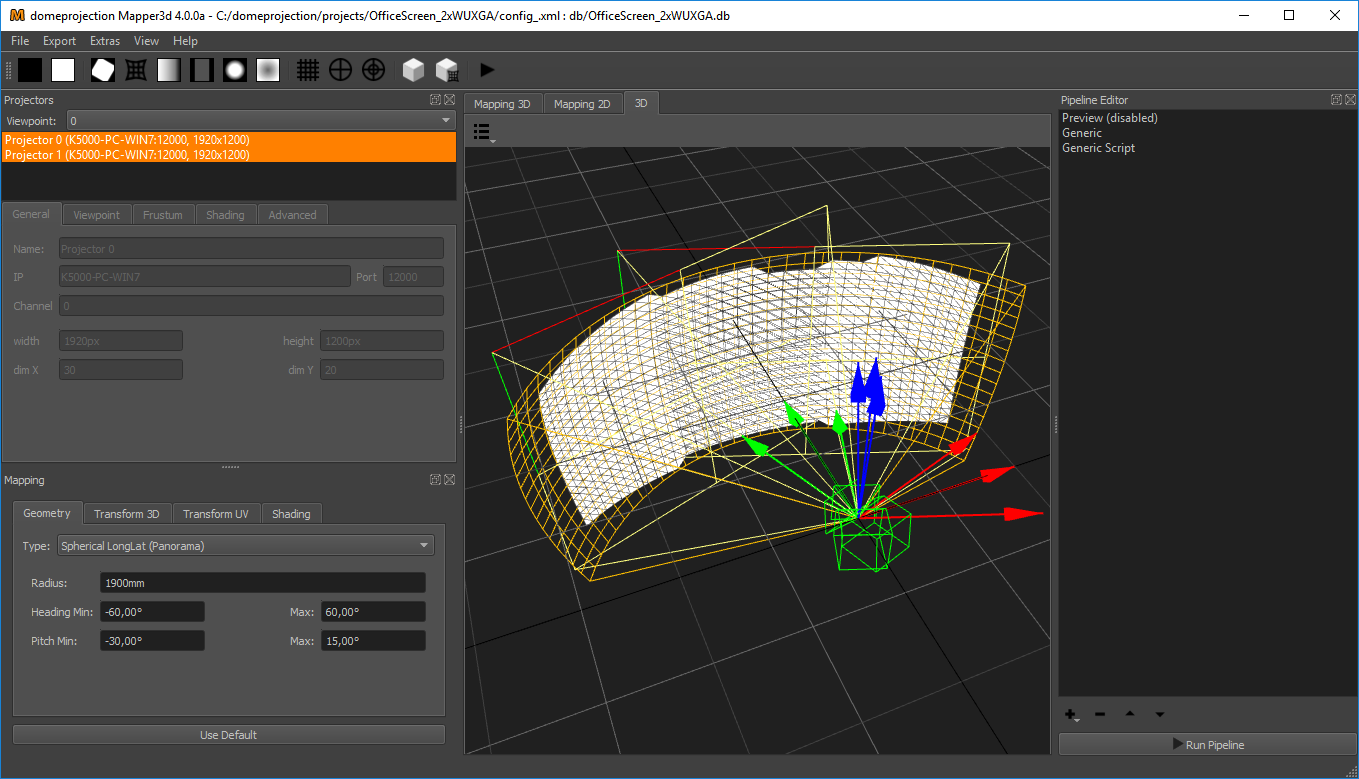
ProjectionTools makes alignment process of multiple projectors quick and easy.
Our warp and blend software solution ProjectionTools, generates calibration data that results in a perfectly warped and blended projection, combined with meticulous and precise corrections of color, black levels, and numerous other parameters.
- Domes
- Cylinders
- Spherical Screens
- Flat Screens
- Caves
- 3 D Objects and Buildings
Field of use
ProjectionTools - Product Family and Field of Use
Field of use
ProjectionTools Product Family
CR - Creator
2D - Mapper2D
3D - Mapper3D
PG - PatternGenerator
PM - MapperPM
AL - Align
ProjectionTools is a comprehensive suite of software tools specifically designed for multi-projection systems. It offers a range of features that support calibration, alignment, and content adaptation for multi-channel projection setups.
Reference projectsFields of use:
- Visual Display Systems for Simulation and Training
- Fulldomes, Spheres and Dome Cinemas
- 360° Immersive Cinema
- Virtual-, Augmented- and Mixed Reality (interactive) Environments
- Projection Mapping on Objects and Buildings
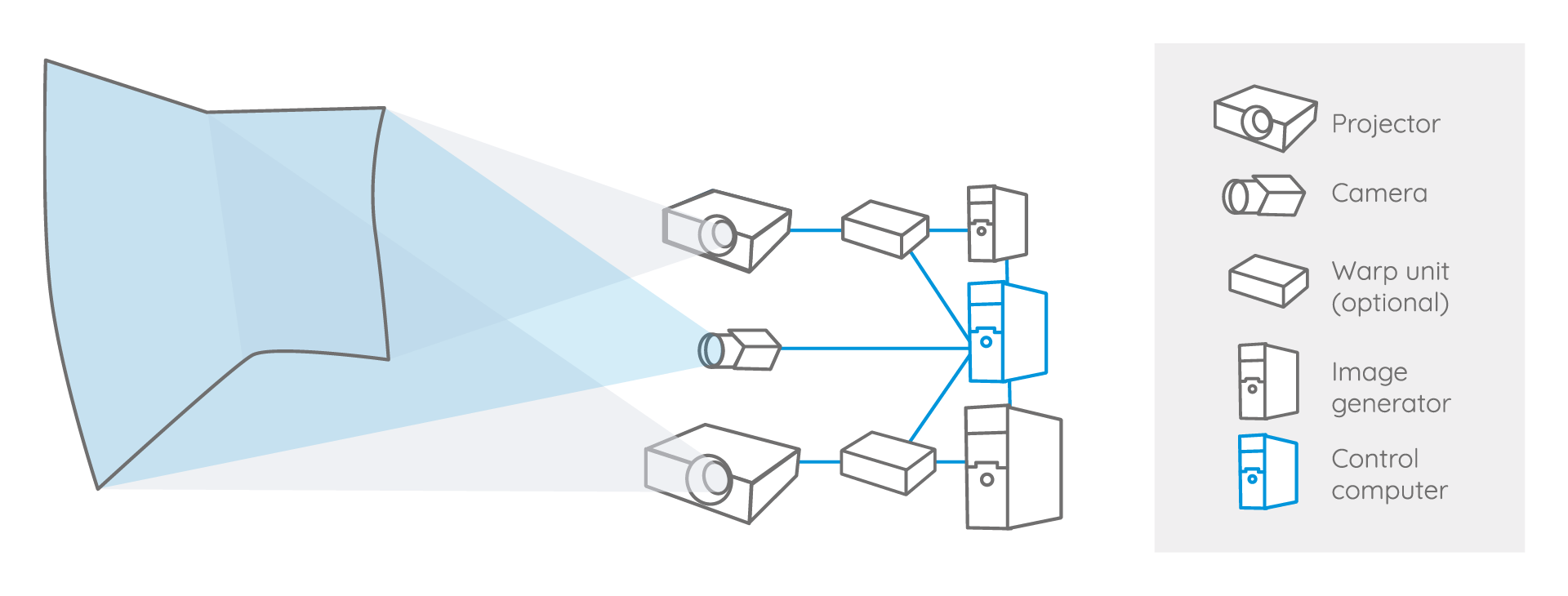
How it works: Industrial PoE cameras capture test patterns that are displayed with a pattern generator and then send these patterns to the software for analysis. Once the analysis is complete, the resulting data is exported to the image generators. The projected images are then precisely warped and blended on the screen.
ProjectionTools are currently available in two packages.
ProjectionTools Pro AV
For complex and large AV projections. One or more cameras, or camera positions, enable a quick and easy measurement and auto alignment. Several exports to media-server, including Projection Mapping.
Depending on the size and complexity of the projection surface, one or more cameras or camera positions enable quick and easy measurement.
- PG - PatternGenerator
- CR - Creator
- 2D - Mapper2D
- PM - MapperPM
- AL - Align
ProjectionTools Pro SIM
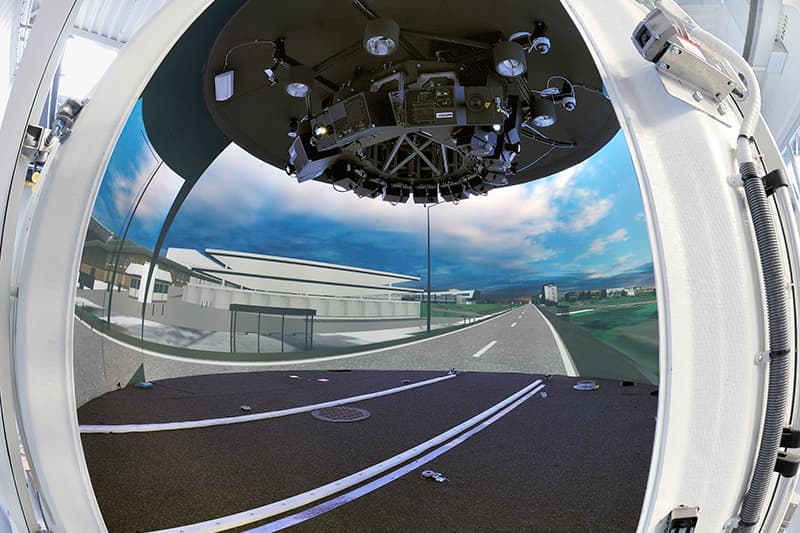
Pro SIM is the toolset for all tasks with demanding requirements for maximum precision and accuracy. For realistic realtime immersive simulations, e.g. flight or driving. Especially for night scenes, black-level corrections can be calculated for each projection. Supports several image generators, 3D engines. This complete toolset is also used for all complex AV and ProjectionMapping installation.
Supports all type of screens, all mappings, virtual cameras
- PG - PatternGenerator
- CR - Creator
- 2D - Mapper2D
- PM - MapperPM
- 3D - Mapper3D
- AL - Align
- nWarp - Warp & Blend on nVidia graphics card
ProjectionTools 6.2 – Major Updates and Releases
ProjectionTools 6.2 released
ProjectionsTools 6.0 – a new major version with many new features, improvements and automatizations is released.
New:
General
- Camera based color matching (experimental)
- Barco Pulse Authentication support
Camera support
- Aravis camera backend
- FLIR Camera support using Aravis camera backend
Creator
- MarkerImport remembers Disto3d position. So Import Marker could be opened/closed multiple times without loosing the current Disto3D position
- adjustable dotpattern. Position of each dot can now be adjusted individually
MapperPM
- added clipping/warping preview
- shrinkwrap mapping and uv-map screen for mapping conversion
Mapper 3D
- directional shading
- MarkerMover
- select and move markers with keyboard
- highlight selected marker in preview
PointCloud conversion
- adjustable viewpoint for calculating normals
Import
- import marker from Leica iCON iCS20 csv files
- import e57 pointcloud format
Export
- Barco Pulse exporter supports resolution override (native resolution of projector required for exports can be given)
- Sky-Skan DarkMatter exporter added
- Norxe Unify BLC RGB slider support
PatternGenerator
- added options to ignore show/hide
- On the details page of you find an overview of current changes and features. On the Change-log page you find details of older versions of ProjectionTools.
Workflow
Basic Workflow of a warp and blend software solution
Basic workflow to align multiple projectors using domeprojection.com ProjectionTools
ProjectionTools consist of several interconnected software components. The measurement process starts with an initial recording of the room's geometry and the optical measurement of each individual projection surface, with the assistance of the installed camera or cameras. Used tools: ProjectionTools Creator (CR) and the PatternGenerator (PG).
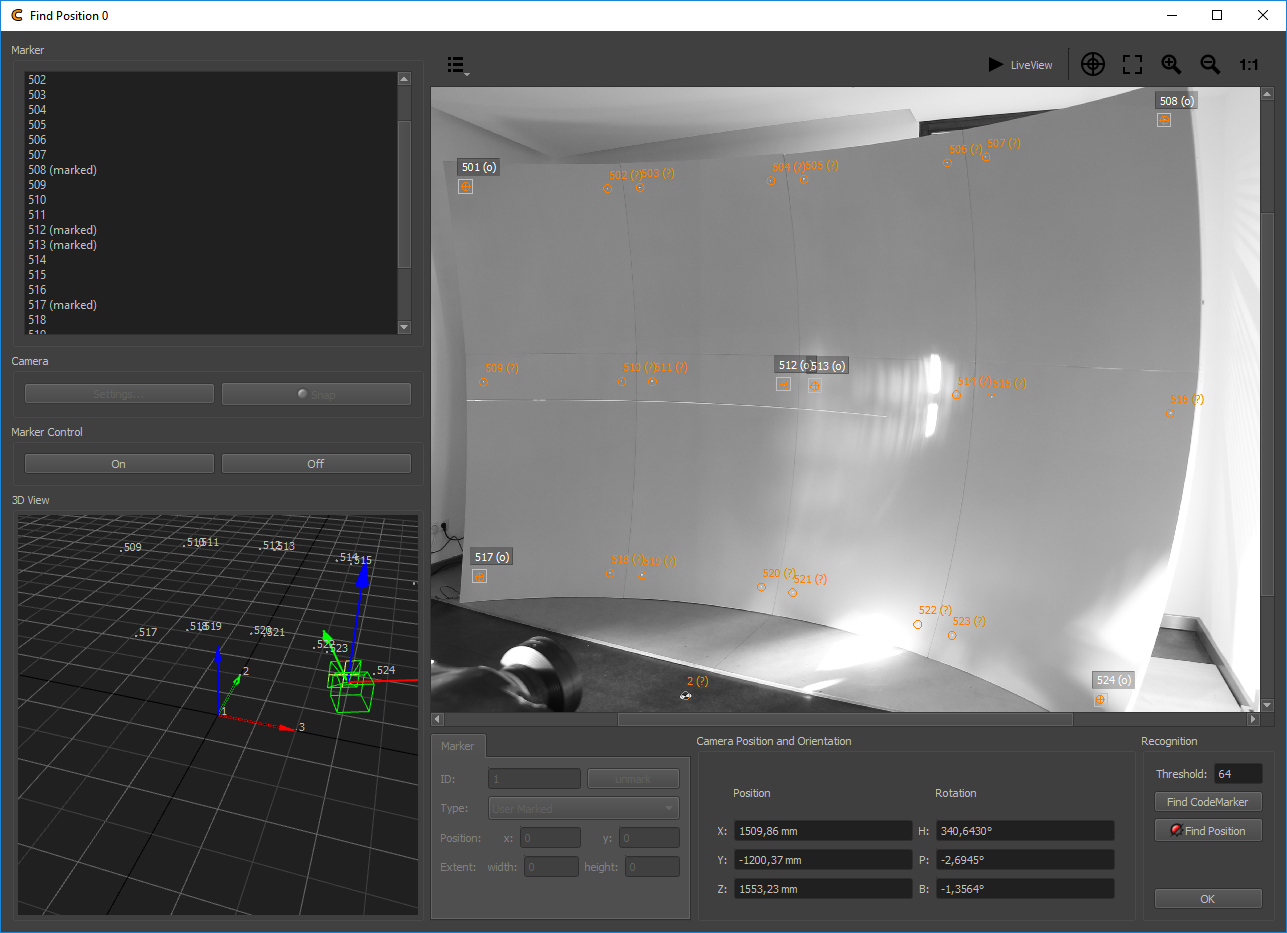
The measurement result is captured and calculated by the Mapper 2D (2D) tool. With the assistance of the integrated Clipping Editor feature, the edges of the image and other desired areas can be cleanly masked if needed. The final result is then exported, providing various exporter options for different hardware/software products.
ProjectionTools supports a wide range of well-known projector manufacturers, including Barco, Norxe, and even consumer-grade projectors. Moreover, the system is compatible with nearly all professional media server systems, such as Watchout, Resolume, Pixera, and Green Hippo etc. Click here to see all supported media server and here to see all supported image generators.
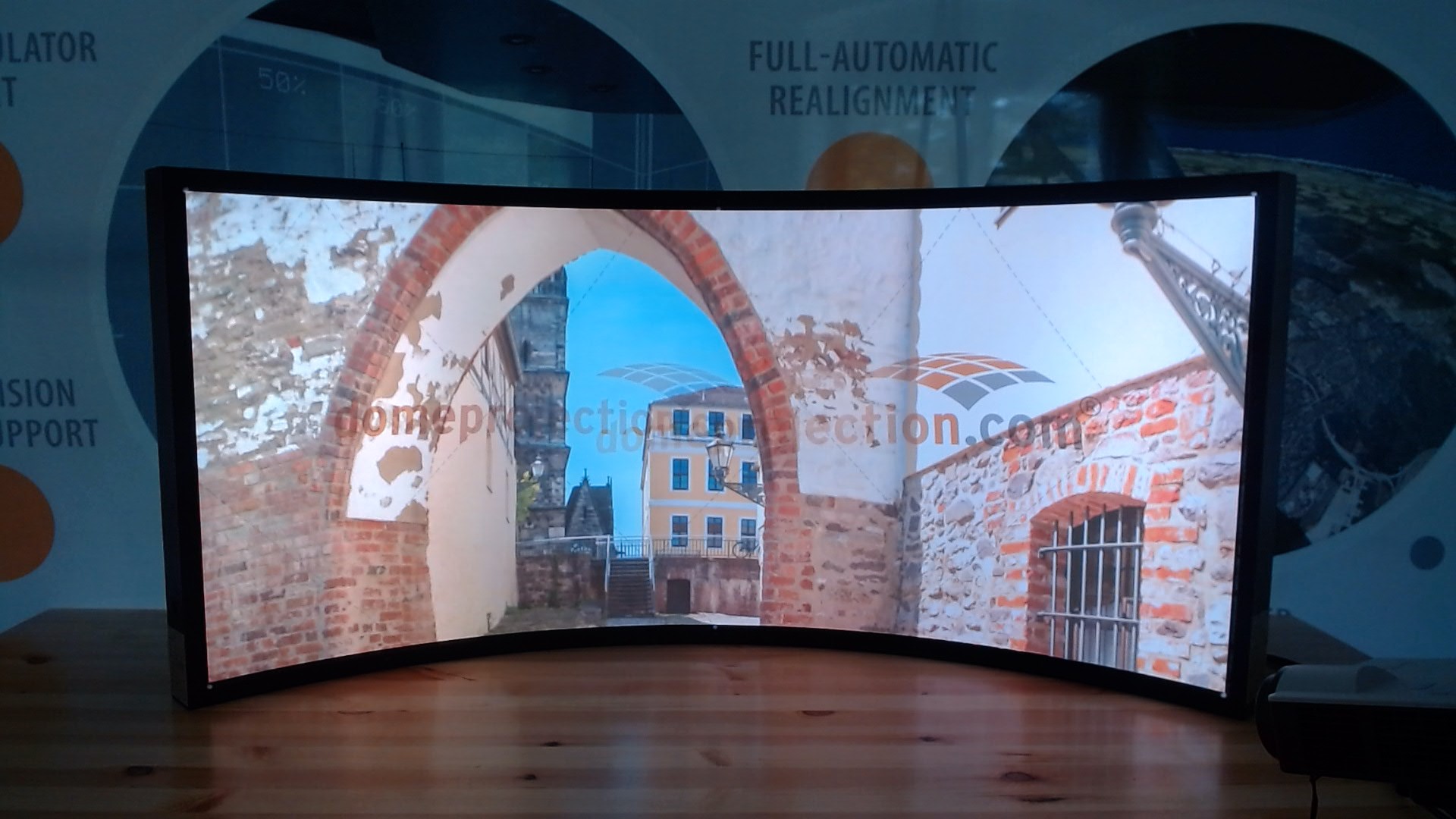
Projection Mapping Tutorial with ProjectionTools:
ProjectionTools is designed for complex mapping projects in both Simulation and AV, and this video tutorial takes you on a step-by-step journey to create a stunning mapping project using two projectors and a single camera.
Manual warping in ProjectionTools
In this tutorial, we'll walk you through manually warping within the ProjectionTools software.
Watch this video to learn how ProjectonTools can help to align multiple projectors quick and easy.
Watch this video to learn how to align multiple projectors with ProjectionTools and how to achieve seamless multi-channel projection, delivering perfect warping and blending results, matched geometry, and the highest color and image quality.
The video tutorial here is intended for a quick introduction to the software. It shows initiating a project within the ProjectionTools Creator (CR). Other videos show the process of exporting to different media servers such as Watchout, Resolume, Hippotizer, Pixera or 3D engines like Unreal or Unity.
Version Comparison
ProjectionTools are currently available in two suites.
All suites will provide you with tools which are easy to use and flexible to fetch out the maximum quality of your projection display.
The software is licensed per channel, which is typically one projection-channel. If the projector is fed by multiple sources, it might be more. Each channel has one correction set (warping, blending, black level correction).
On the Change-log page you find details of older versions of ProjectionTools.
Overview ProjectionTools Features
| Pro AV | Pro Sim | ||
|---|---|---|---|
| Capture | Calibrated Fisheye Cameras | multiple | multiple |
| Calibrated Perspective Cameras | multiple | multiple | |
| 3D Reconstruction | ✓ | ✓ | |
| Uncalibrated Cameras | single | single | |
| Mapping | Planar | ✓ | ✓ |
| Perspective | ✓ | ✓ | |
| Cylindrical | ✓ | ✓ | |
| Spherical LongLat/Polar | ✓ | ✓ | |
| Torus | ✓ | ✓ | |
| Custom | ✓ | ✓ | |
| Multiple Mappings | ✓ | ✓ | |
| Virtual Cameras | ✓ | ||
| Export | domeprojection.com® Generic | ✓ | ✓ |
| MPCDI | ✓ | ✓ | |
| Warp Software | ✓ | ✓ | |
| Warp Units | ✓ | ✓ | |
| Media Server | ✓ | ✓ | |
| Image Generator | ✓ | ||
| Dynamic Warping (Advanced 3D) | ✓ | ||
| 3D-Engines | ✓ | ||
| Scripts | ✓ | ✓ | |
| Modules | Creator | ✓ | ✓ |
| Align | ✓ | ✓ | |
| Mapper2D | ✓ | ✓ | |
| MapperPM | ✓ | ✓ | |
| Mapper3D | ✓ | ||
| ATP Control | ✓ | ||
| Collimator Support (Warp 2D Modifier) | ✓ |
✓ – included
* – calibrated non-fisheye cameras required
Media Servers
| Media Server | 2D | PM* | 3D | DW* | Warping | Blending | Black-Level-Correction |
|---|---|---|---|---|---|---|---|
| Hippotizer (Green Hippo) | ✓ | ✓ | ✓ | ✓ | ✓ | ||
| Watchout (Dataton) | ✓ | ✓ | ✓ | ✓ | ✓ | ||
| Resolume | ✓ | ✓ | ✓ ()* | ||||
| Pandoras Box (Christie) | ✓ | ✓ | ✓ | ✓ | |||
| Pixera (AV Stumpfl) | ✓ | ✓ | ✓ | ✓ | ✓ | ||
| Wings (AV Stumpfl) | ✓ | ✓ | ✓ | ✓ | |||
| 7thSense Delta Media Server | ✓ | ✓ | ✓ | ✓ | ✓ | ||
| Lightact | ✓ | ✓ | ✓ | ||||
| MX Wendler | ✓ | ✓ | ✓ | ✓ | |||
| RSA Cosmos | ✓ | ✓ | ✓ | ||||
| Sciss Uniview | ✓ | ✓ | ✓ | ||||
| Ventuz | ✓ | ✓ | ✓ | ✓ |
*DW - Dynamic Warping *PM - Projection Mapping
✓ – possible
✓ ()* – limited
Image Generators
| Image Generators | 2D | PM* | 3D | DW* | Warping | Blending | Black-Level-Correction |
|---|---|---|---|---|---|---|---|
| Diamond Visionics Genesis | ✓ | ✓ | ✓ | ✓ | |||
| e.sigma | ✓ | ✓ | ✓ | ||||
| Motekforce | ✓ | ✓ | ✓ | ||||
| NITA | ✓ | ✓ | ✓ | ||||
| Quantum3D MANTIS | ✓ | ✓ | ✓ | ✓ | |||
| Sogitec | ✓ | ✓ | ✓ | ✓ | |||
| Wärtsilä | ✓ | ✓ | ✓ | ✓ | |||
| VBS BLUE IG | ✓ | ✓ | ✓ | ✓ | ✓ | ||
| VI-grade | ✓ | ✓ | ✓ | ✓ | ✓ | ||
| AVSIMULATION SCANeR | ✓ | ✓ | ✓ | ✓ | |||
| Prepar3D | ✓ | ✓ | ✓ | ✓ | |||
| X-Plane | ✓ | ✓ | ✓ | ✓ | |||
| CAE Medallion | ✓ | ✓ | ✓ | ✓ |
*DW - Dynamic Warping *PM - Projection Mapping
✓ – possible
3D Engines
| 3D Engines | 2D | PM* | 3D | DW* | Warping | Blending | Black-Level-Correction |
|---|---|---|---|---|---|---|---|
| Unity | ✓ | ✓ | ✓ | ✓ | ✓ | ✓ | ✓ |
| Unreal | ✓ | ✓ | ✓ | ✓ | ✓ | ✓ |
*DW - Dynamic Warping *PM - Projection Mapping
✓ – possible
Warp Hardware
| Warp Hardware | 2D | PM* | 3D | DW* | Warping | Blending | Black-Level-Correction |
|---|---|---|---|---|---|---|---|
| 3d Perception nBox | ✓ | ✓ | ✓ | ✓ | ✓ | ||
| Barco HDX | ✓ | ✓ | ✓ | ✓ ()* | |||
| Barco MCM | ✓ | ✓ | ✓ | ✓ | ✓ | ||
| Barco Pulse | ✓ | ✓ | ✓ | ✓ | ✓ | ||
| Barco WB | ✓ | ✓ | ✓ | ✓ | ✓ | ||
| Calibre | ✓ | ✓ | ✓ | ✓ | ✓ | ||
| Christie Twist | ✓ | ✓ | ✓ ()* | ||||
| Digital Projection | ✓ | ✓ | ✓ | ✓ | ✓ | ||
| NVIDIA® Quadro (NWarp) | ✓ | ✓ | ✓ | ✓ | |||
| ZEISS VELVET | ✓ | ✓ | ✓ | ||||
| NORXE Unify | ✓ | ✓ | ✓ | ✓ |
*DW - Dynamic Warping *PM - Projection Mapping
✓ – possible
✓ ()* – limited
Warp Software
| Warp Software | 2D | PM* | 3D | DW* | Warping | Blending | Black-Level-Correction |
|---|---|---|---|---|---|---|---|
| ImmersaView SimVisuals | ✓ | ✓ | ✓ | ✓ | ✓ | ||
| nWarp | ✓ | ✓ | ✓ | ✓ | ✓ | ||
| domeprojection.com SDK | ✓ | ✓ | ✓ | ✓ | ✓ | ✓ |
*DW - Dynamic Warping *PM - Projection Mapping
✓ – possible